| Released: | 26/04/2017 |
| Bug Fix: |
|
Author: Lynx Software
Software Update v8.01.0012
| Released: | 17/03/2017 |
| Bug Fix: |
|
Error E06-13 on Clerk Z Command
| Error: | Error E06-13 on Clerk Z Command during Collect Sales [Range specification error (X/Z)] |
| Cause: | There are Open GLUs in your Sharp ECR/POS terminal |
| Solution: | Choose one of the options below:
|
Error 75 during Backup Data File
| Error: | Error 75 during Backup Data File [Path/File access error] |
| Cause: | Multiple hidden instances of the software running |
| Solution: | Use Task Manager to check for any hidden instances of software and shut them down |
Automation Errors
| Error: | Automation Errors |
| Cause: | DLL problems or conflicts caused by Windows, other software installed on the system or hardware failures |
| Solution: | Reinstall Lynx Software – Preferably the latest licenced version |
SharpLynx v8.04.0004
Release Date: 25/07/2017
New Feature
- Batch process failures due to unknown items assigned an error code so they can be included in Communications Log when viewed with ‘Show errors only’ option enabled
SharpLynx v8.03.0019
Release Date: 24/05/2017
New Feature
- Freight amount from purchase order applied to stock purchase when receiving a purchase order
Is it time to upgrade your Sharp ECR/POS terminals?
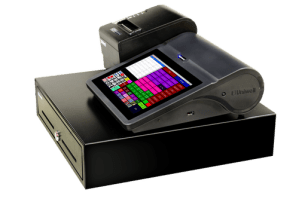
Did you know we also develop back office software for Uniwell hybrid ePOS terminals?
 |
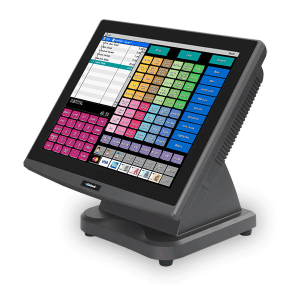 |
Now you can upgrade your POS terminals
without having to learn a completely new back office solution!
Consider some of the advantages of upgrading to Uniwell Lynx …
- Our Uniwell Lynx software has the same look and feel as our SharpLynx software making it a breeze to learn
- We can convert your departments, items, customers and suppliers from SharpLynx to Uniwell Lynx to make the transition even easier
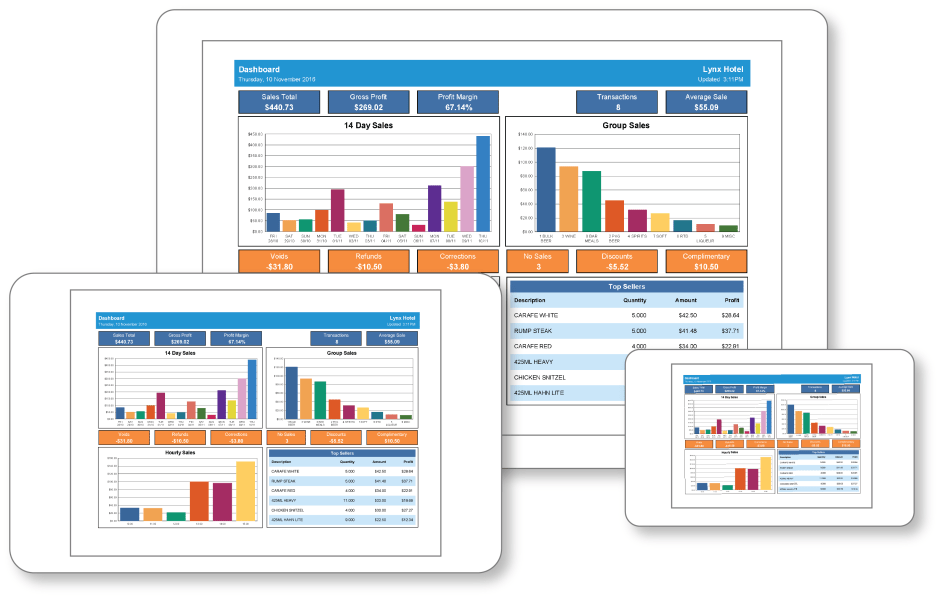
- And you’ll love the new features you gain in Uniwell Lynx that take it to the next level from SharpLynx, such as …
- Screen layout programming
- Lots of new reports including Dashboard and Weekly KPI reports
- Customer promotions in the optional Customers module
- Optional Add-Ons for scale integration and labour cost reporting
- Upgrade pricing from SharpLynx to Uniwell Lynx
Contact Us for more information
SharpLynx v8.01.0012
Release Date: 17/03/2017
New Feature
- Preferences added to Lite Version
Version 8 Release
We are pleased to announce the release of SharpLynx v8!
Upgrade to Version 8
Smart Reporting
Cloud-based POS reports without monthly fees! The Smart Reporting features in SharpLynx v8 make it easier than ever to have the reports you want automatically sent to your smart device.
- Read Sales Batches can be processed allowing data on all reports to be updated
- Read Sales jobs can be scheduled for automated report updates
- Email/Cloud format option added to Saved Reports (PDF/CSV/XLS)
- Date/time stamp in the filename of reports sent to cloud drives option added to Saved Reports
- Repeat Hourly option added to Scheduled Jobs
Reporting Enhancements
- Customer Statement format option added
- Activity: Shows all transactions for selected date range
- Outstanding: Shows only outstanding transactions
- Option to use regional long date format for date ranges on reports
- Email address added to Customer Listing
- Reorder Levels Listing
Other New Features
- Grid-style editing of Reorder Levels
- Option to edit email subject and message when emailing Purchase Orders
- Automatic generation of PLU Code from Item Code for new items during Import Items if Item Code is a valid PLU Code and PluCode column not included in import file
- ‘Data grid filters on text fields assume % wildcard prefix’ option added to Preferences
 SharpLynx